Position-independent code is code that can run from wherever it lands in memory.
If the bytes are copied to one address, they run. If the same bytes are copied to a different address, they still run. The code does not depend on a fixed location chosen by the compiler.
That is important for shellcode. Shellcode is usually loaded as raw bytes. There may be no normal Windows loader setting up imports, applying relocations, or preparing a full executable image. The bytes are placed in memory, execution jumps to them, and the payload has to find what it needs by itself.
The screenshots in this post come from github.com/nzyuko/rust-pic, a small reference implementation I used to keep the examples concrete. Treat it as a working example of the ideas, not as the subject of the article.
The main subject is the pattern: what has to change when Rust code stops being a normal Windows executable and starts behaving like shellcode.
A normal Rust build
First, here is a small Rust program built as a normal Windows executable and opened in PE-bear:
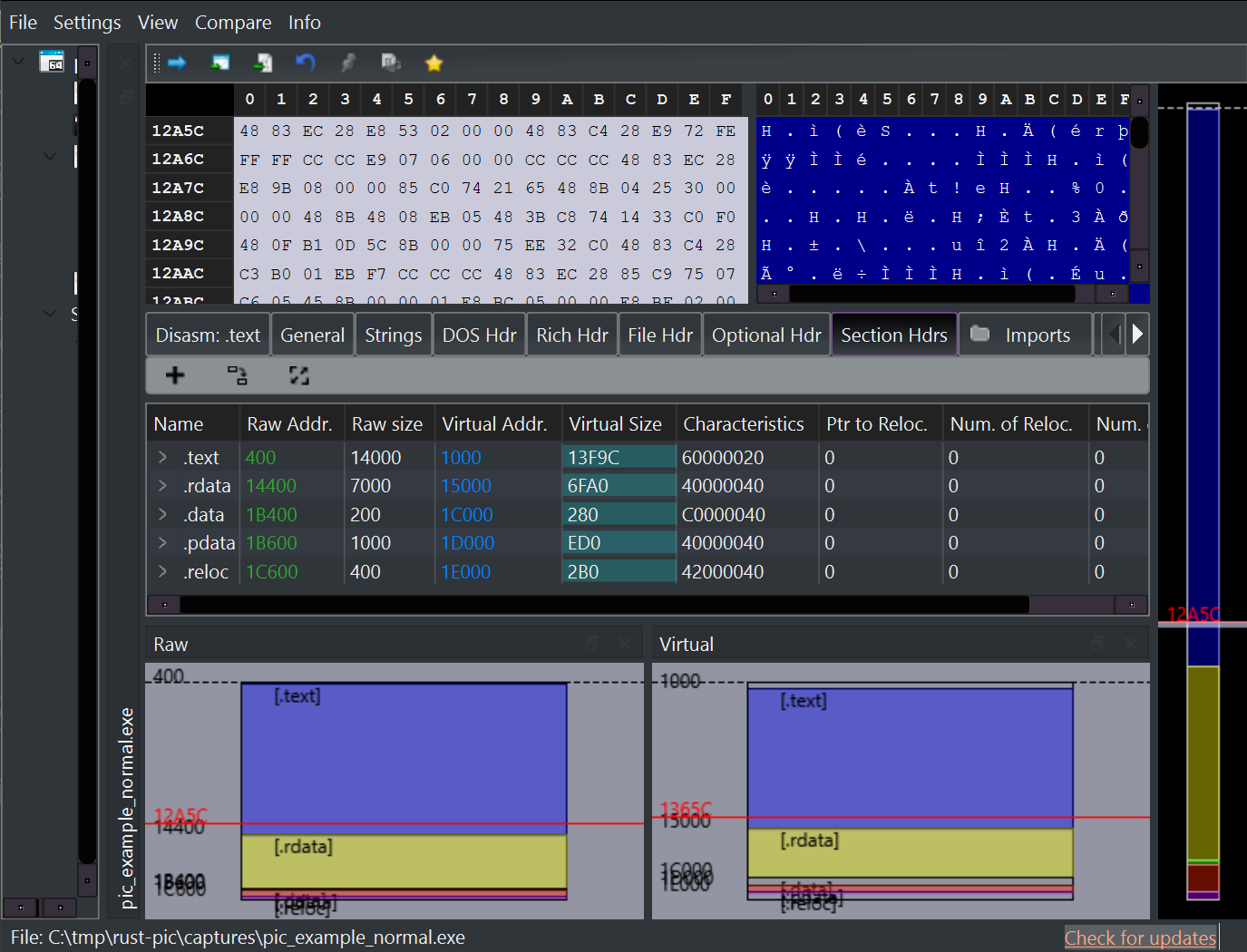
This is exactly what a normal executable should look like. It has multiple sections:
.textfor executable code,.rdatafor read-only data,.datafor writable data,.pdatafor 64-bit Windows unwind information,- and
.relocfor relocation data.
The same normal build also has an import table:
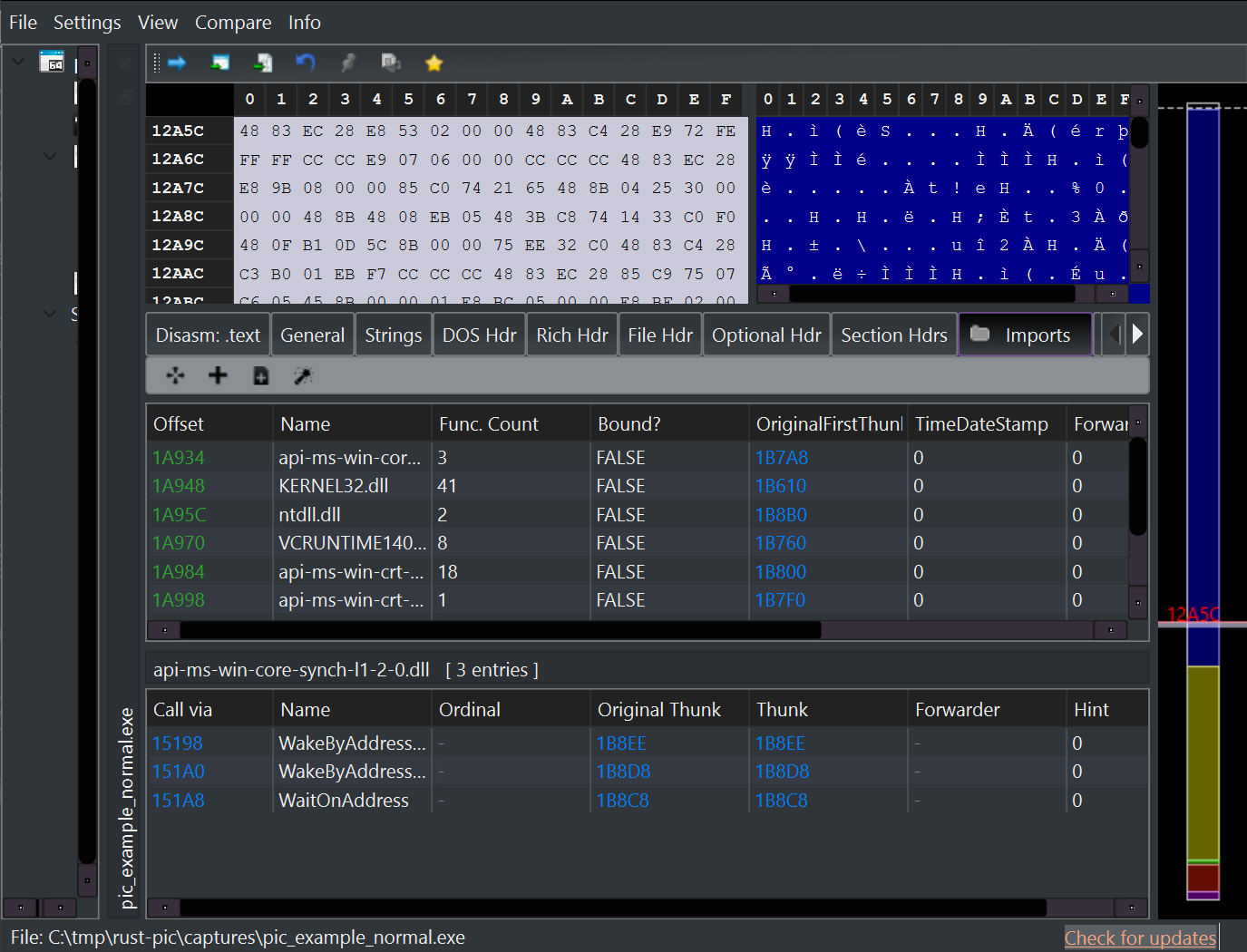
That import table is a list of DLLs and functions the program expects Windows to resolve before execution reaches the program’s real logic.
For a normal executable, this is good. Windows knows how to read the PE headers, map the sections, fill the import table, apply relocations, and start the program.
For shellcode, we want fewer things that depend on the loader.
The position-independent build
For the position-independent build, the same Rust logic is compiled with a
different set of rules. It builds without the standard library and without
the normal Rust main startup path. The linker also receives flags that
merge data into .text, remove the default C runtime libraries, and point
the executable at a custom entry function.
Here is the result in PE-bear:

The fresh build used for these screenshots is a 3.0 KB PE wrapper with one
.text section. The validation script reports no imports and no base
relocations.
The Optional Header view shows that the wrapper is still a valid PE file. It has an image base, a base of code, and an entry point:

This is an important detail. The build process still creates a tiny PE so we can inspect it and extract from it. The final payload is not the whole PE file. The extraction script takes the useful bytes and writes a flat payload.
Why there is no Imports tab
In the position-independent build, PE-bear does not show an Imports tab because there is no import directory to display. The tab beside the section view is exception metadata:

That is the visible result of an important design choice: the payload does not ask its own import table for Windows function addresses.
Instead, it starts from the Process Environment Block, usually called the
PEB. On 64-bit Windows, the PEB can be reached through gs:[0x60]. From
there, the payload walks the loader’s list of already-loaded DLLs until it
finds modules such as ntdll.dll.
Once it has a DLL base address, it parses that DLL’s export table directly.
That is how it finds functions like RtlAllocateHeap,
NtAllocateVirtualMemory, and NtFreeVirtualMemory without using its own
import table.
In code, that logic usually splits into two helpers: one to find a module,
and one to find an exported function. In the linked source, those are
pic_find_module and pic_find_export.
What changed from the normal build
The normal build relies on Windows to prepare a lot of things before the program starts. A shellcode-style build moves more of that work into the payload.
The main changes are:
- It uses a custom entry point instead of the normal Rust
mainpath. - It builds without the Rust standard library.
- It removes the default C runtime libraries.
- It avoids a loader-filled import table.
- It finds loaded DLLs through the PEB.
- It parses export tables to find function addresses.
- It keeps mutable state in an explicit context instead of relying on writable globals.
- It provides small runtime helpers that the C runtime would normally bring in.
That list sounds large, but each item has a simple reason: raw bytes do not
get the same setup that a normal .exe gets.
The strings are still visible
This build is meant to be readable, so it still contains plaintext API names. PE-bear’s Strings view makes that easy to see:
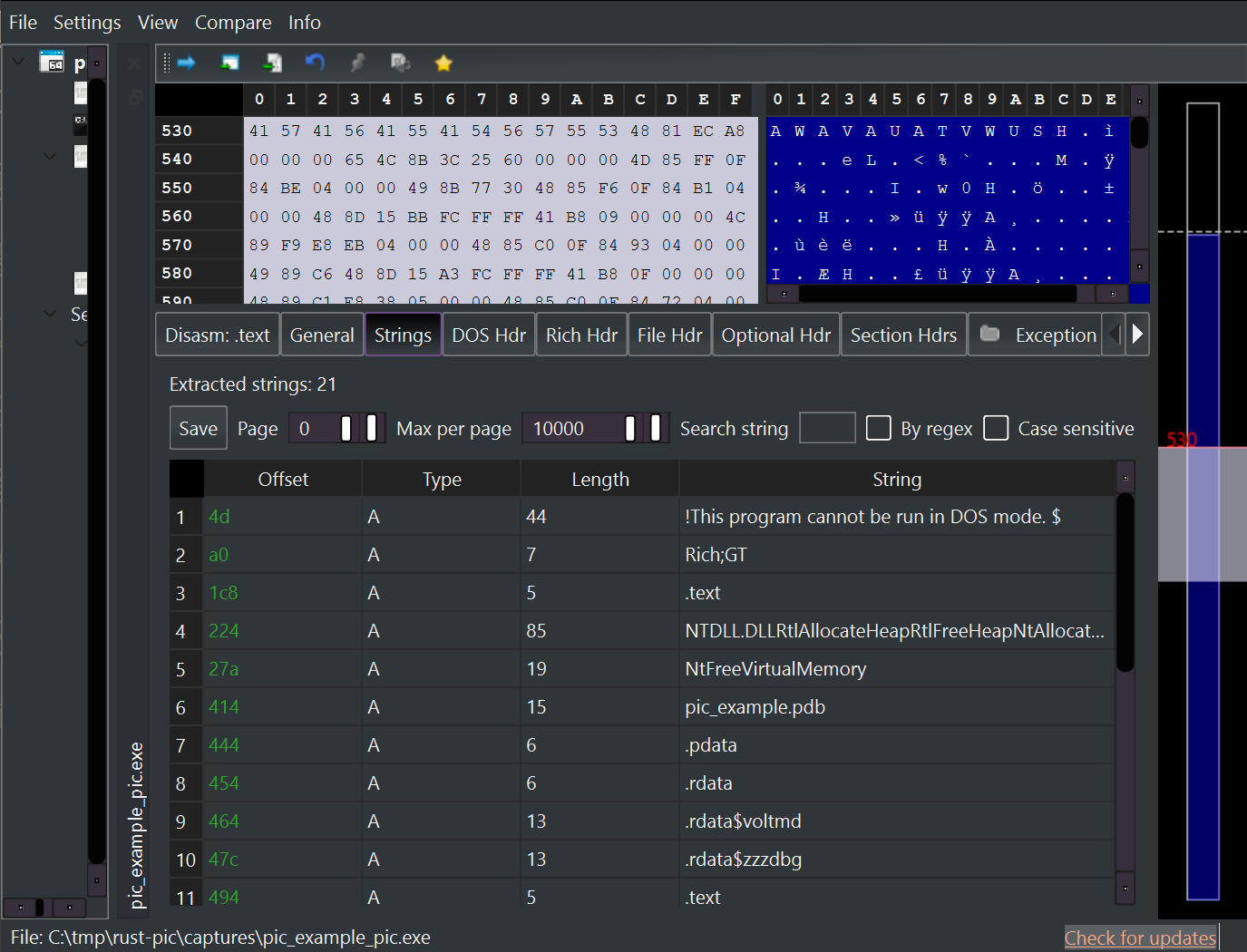
You can see names such as NTDLL.DLL, RtlAllocateHeap, and
NtFreeVirtualMemory. Those strings are used by the export resolver.
That is fine for a learning build. It makes the code easier to follow. For a more stealth-focused payload, you would usually replace plaintext names with hashes or another lookup scheme. The linked source includes a small CRC32-based module lookup example to show that direction.
About indirect syscalls
The build also demonstrates indirect syscalls.
In plain language, it finds the system call number from an ntdll function
stub, then jumps to a syscall; ret instruction inside ntdll. A small
assembly trampoline prepares the arguments in the layout expected by the NT
system call.
You do not need to memorize the register shuffle to understand the idea.
The payload is still using Windows’ own ntdll mapping. It is just finding
the pieces manually instead of going through normal imported functions.
In the linked source, the relevant code is in pic_do_syscall and
pic_find_syscall_instr.
Building it
The normal build is:
cargo build --release
The position-independent build is:
cargo build --release --features pic
The extractor is:
python tools/validate_pic.py target/release/pic_example.exe -o payload.bin
For the build shown in the screenshots, the validator reported:
- 3.0 KB PE wrapper,
- one
.textsection, - no imports,
- no relocations,
- and a 2.4 KB extracted payload.
The extracted payload.bin starts with a small trampoline. That makes
offset zero callable, then transfers execution to the real entry point in
the extracted .text bytes.
What to take away
Position-independent code is not magic. It is code written so it can survive without the usual loader setup.
For Rust, that means:
- keep the build small,
- use a custom entry point,
- avoid normal imports,
- find DLLs through the PEB,
- resolve functions by parsing exports,
- avoid base relocations,
- and extract the useful bytes into a flat payload.
Rust still needs unsafe for this kind of work. The useful part is that the
dangerous code is concentrated in a few clear places: module walking, export
parsing, syscall setup, and raw memory handling.
Full source: github.com/nzyuko/rust-pic
References
Published for security research and defensive tooling education.